Menu Visualizer
See Your Menu Come to Life
Scan any restaurant menu and we'll generate a photo, ingredient breakdown, and nutrition info for every dish. No more guessing what you're ordering.
How it works
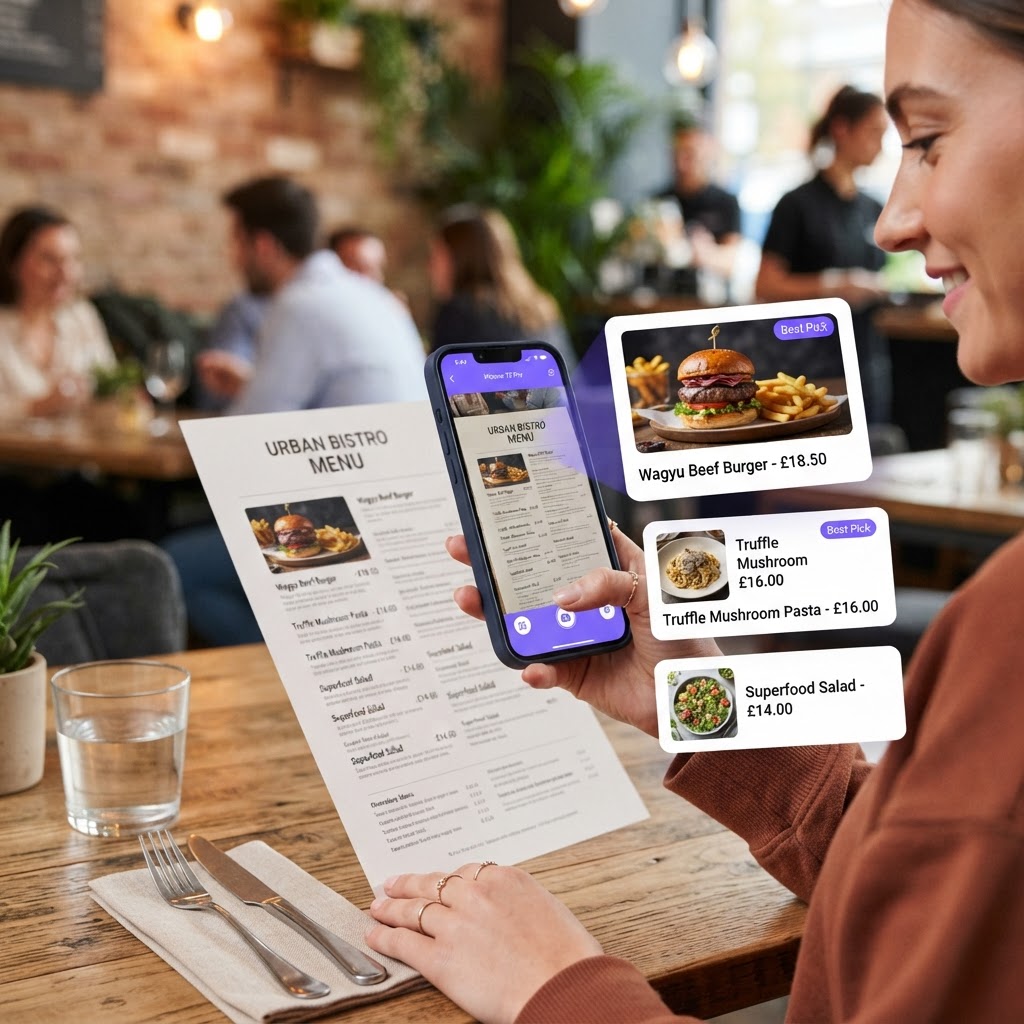
Menu Visualizer: Complete Guide
PickFresh's Menu Visualizer lets you see what you're ordering before you order it. Upload a photo of any restaurant menu and our AI reads each dish, generates a visual photo of what it looks like, and provides ingredient details, nutritional estimates, and cultural context. Perfect for travellers navigating unfamiliar cuisines, diners with dietary restrictions, or anyone who's ever wondered 'what does that actually look like?'
How to Use Menu Visualizer
- 1
Photograph the menu
Take a clear photo of the restaurant menu, or upload an existing photo. Make sure the dish names are readable.
- 2
AI reads the menu
Our AI identifies every dish on the menu, extracts key ingredients, and prepares to generate visual previews.
- 3
See dish photos
The AI generates a realistic photo of each dish so you can see exactly what you’re ordering. Tap any dish for full details including ingredients, nutrition, and cultural history.
Why Use Menu Visualizer?
AI-Generated Dish Photos
Never order blindly again. The visualizer generates a realistic photo for every dish on the menu, so you know exactly what to expect when your food arrives.
Ingredient Breakdown
Each dish includes a list of key ingredients, making it easy to identify potential allergens or foods you want to avoid.
Nutrition Estimates
Get approximate calories and macronutrients for each dish, helping you make informed choices whether you're counting calories or just eating mindfully.
Cultural Context
Travelling abroad? Each dish includes cultural history and context, so you can learn about the local cuisine while deciding what to order.
Perfect for Travellers
Whether you're in a restaurant in Tokyo, Bangkok, or Rome, the menu visualizer helps you navigate unfamiliar menus with confidence — no translation app required.
Tips & Best Practices
- ›Take the photo straight-on to the menu for the best text recognition results.
- ›Good lighting helps — avoid shadows over the menu text.
- ›If the menu is very long, photograph one section at a time for more detailed analysis.
- ›Use the ingredient breakdown to quickly find dishes that match your dietary preferences.
Frequently Asked Questions
The AI can read menus in most major languages. It performs best with English, but can also identify dishes from Chinese, Japanese, Thai, Italian, and other common cuisines.