Camera access denied. Please allow camera permissions.
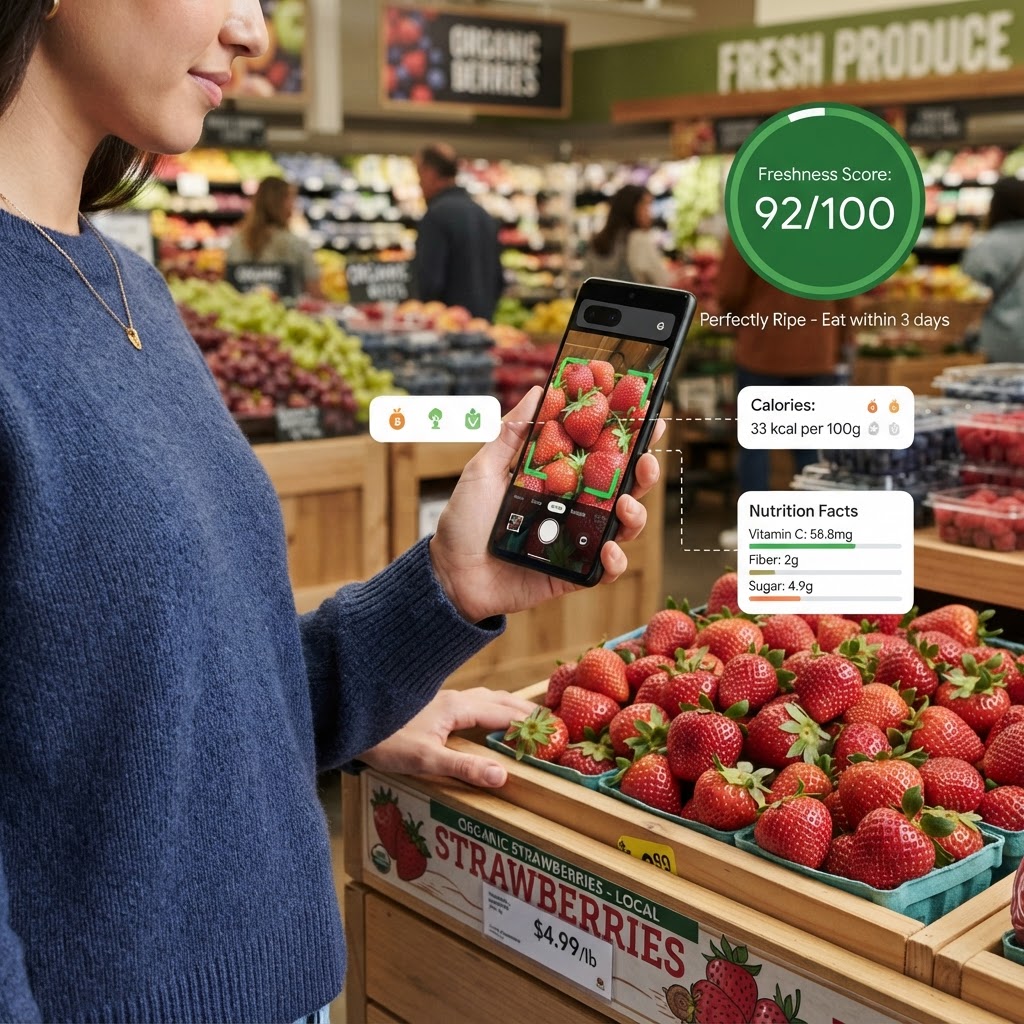
Scan Any Produce Instantly
Point your camera at any fruit, vegetable, or dish. Get a freshness score, ripeness timeline, and nutrition breakdown in seconds.
Fruit & Veggie Scanner: Complete Guide
PickFresh's AI Fruit & Veggie Scanner uses advanced computer vision to analyse fresh produce in real time. Point your camera at any fruit, vegetable, or prepared dish to get an instant freshness score, ripeness timeline, and nutrition breakdown — all without uploading a photo or creating an account. Whether you're at the supermarket trying to pick the ripest mango, in your kitchen wondering if that avocado is ready to eat, or at a market wanting to check the quality of a papaya, our free scanner gives you the information you need in seconds.
How to Use Fruit & Veggie Scanner
- 1
Open the scanner
ScannersTap the camera icon to launch the scanner. No download or sign-up required — it works directly in your browser on any device.
- 2
Point at any produce
Aim your camera at the fruit, vegetable, or dish you want to analyse. The scanner works best when the item is well-lit and fills most of the frame.
- 3
Tap to scan
Press the scan button and the AI will identify the item, assess its freshness, and provide a detailed analysis in seconds.
- 4
Review your results
Get a freshness score (0–100), ripeness timeline showing when to eat it, nutrition information, and recipes you can make with it.
Why Use Fruit & Veggie Scanner?
Instant Freshness Scoring
Every item receives a freshness score from 0 to 100, so you know exactly how fresh your produce is at a glance. Scores above 80 mean it's at peak quality, while lower scores indicate it's past its best.
Ripeness Timeline
Not ready to eat today? The scanner shows you a 6-day ripeness timeline so you know exactly when your fruit or vegetable will be perfect. Plan your meals around when produce is at its best.
Nutrition Breakdown
Get calories, vitamins, and key nutritional information for every scanned item. Make informed dietary choices without looking anything up manually.
Works on Any Produce
From common fruits like apples and bananas to exotic produce like mamey sapote and dragon fruit, the scanner recognises hundreds of varieties of fruits, vegetables, and prepared dishes.
100% Free & Private
No account, no upload, no tracking. The scanner runs in your browser — your photos never leave your device unless you choose to save them to your scan history.
Tips & Best Practices
- ›Good lighting makes a big difference. Natural daylight or well-lit supermarket aisles give the most accurate results.
- ›Hold your phone steady and let the item fill most of the camera frame for best results.
- ›For items in packaging, remove them first so the scanner can see the actual produce.
- ›Scan multiple items of the same type to compare freshness and pick the best one.
Frequently Asked Questions
Yes, PickFresh's scanner is completely free to use. You can scan up to 5 items per week as a guest, or get unlimited scans with a free account. No credit card required.